
Productive Digital Transformation And Digital Automation Solutions For Documents And Data
Chronoscan Enterprise Forms Processing AI. Multi-User Browser/Thin Client
Are you wasting countless manual hours sorting and renaming scanned delivery notes, typing out invoice fields, or renaming PDFs?
Then wasting more time manually filing them into folder structures in SharePoint, GoogleDocs, DMS or Windows FileSystem?
We can solve this! With full implementation, licensing, configuration, training and support for ChronoScan Advanced, a leading document scanning and intelligent data capture platform. ChronoScan bridges the gap between raw document imaging and automated business intelligence. It monitors incoming files via automated HotFolders, instantly reads core information fields, validates the data against your live business systems, and updates your Cloud Platform, ERP, CRM, or accounting platform seamlessly.
- Perpetual Licence! With Optional Yearly Maintenance/Support. Credits May Be Required for AI and Google OCR.
- Centralised Forms Processing Service.
- Browser Thin Client, Client Server Architecture.
- Multiuser Support.
- User roles and permissions support.
- Multiple processing servers.
- Notifications engine.
- Comprehensive Logging & Audit Statistics.
- Cloud Scanning Client.
- IMAP Client, Monitors Email Inboxes to Automatically Pull and Split Attachments.
- Automated Workflow.
- Includes Chronoscan Advanced Desktop Application.
Barcode Processing and Separation.
Intelligent Document Recognition.
OCR Searchable Text Creation.
- Google OCR Processing and Handwriting.
Data Capture and Forms Processing.
- OCR Triggers for Separation, Splitting and Data Capture.
- Intelli-Tag and OCR Fields for Data Capture and Extraction.
- AI, Artificial Intelligence Data Capture with Google Gemini and OpenAI.
- Visual Basic Scripting for Specialist Tasks.
- Database Lookups using ODBC.
- Automatic Indexing.
- Multi-user web-based indexing tool
- Validation for Quality Control.
- Dynamic Output Path and File-naming Structures.
- Multiple Job Configurations.
Multiple HotFolder Queue Processing with Multiple Job Configurations.
- Output to Cloud Services, SharePoint 365, Azure, Google, Email, Oauth2 Authentication.
- Export Data Index and Meta Data to ODBC Data Sources, CSV, Txt, XML.
- Export Images to PDF, PDF/A, PDF Searchable, TIFF.
- Processed Scanned Documents, Digitally Born Documents and Office Documents.
Enterprise Intelligent Document Processing
Scanning, processing, Indexing, Validation, Export
Document Scanning Software OR HotFolder Import
1D and 2D Barcode Separation
IDR Intelligent Document Type Recognition
OCR with Nuance, Google or ChronoOCR
Indexing using Intelli-Tags and OCR Zonal Capture
AI Artificial Intelligence Processing of Data Using GPT Open AI
ODBC Lookups
Validation
Meta Data Export ODBC Export, XML, TXT, CSV
Export to Local or Cloud Resources
Overview
ChronoScan Enterprise: Centralised Forms Processing & AI-Driven Document Intelligence
ChronoScan Enterprise elevates high-volume data capture by combining robust server-side architecture with cutting-edge artificial intelligence. By natively integrating industry-leading AI models—including OpenAI (GPT) and Google Gemini—ChronoScan Enterprise transforms traditional OCR into an intelligent document understanding platform capable of reading unstructured text, invoices, and complex forms with human-like accuracy.
True Server Architecture with Zero Local Footprint
Unlike standalone desktop solutions, ChronoScan Enterprise runs natively as a centralized Windows Service on your corporate server or cloud infrastructure. All heavy data processing, intensive OCR lifting, and advanced AI model matching happen entirely server-side.
This modern architecture eliminates the historical bottlenecks of data capture workflows:
No More Remote Desktop (RDP) Bottlenecks: Traditional desktop setups often force multi-user teams to log into a shared resource via Remote Desktop, one at a time. ChronoScan Enterprise removes this friction entirely.
Zero-Install Browser Interface: Users across different departments or remote offices require zero local software installation. They simply log into a high-speed, secure, web-browser thin client to validate data, manage queues, and index documents.
SQL Database Backend: Powered by an enterprise-grade SQL database, the system ensures lightning-fast search capabilities, data integrity, and robust multi-user concurrency.
Secure, Role-Based Collaboration
The centralized web interface makes it incredibly cost-effective to roll out automation across your entire organization. Instead of purchasing and managing individual desktop software licenses for every department, you can deploy tailored workflows globally.
Security and system integrity are maintained through a robust permission framework, dividing users into three distinct, secure roles:
Operator: Focuses on high-speed document scanning, batch uploading, and initial queue management.
Indexer: Validates captured data fields, reviews AI extraction flags, and approves documents for ERP or DMS export via the intuitive browser interface.
Superuser / Administrator: Controls system-wide configuration, manages SQL database connections, and designs capture jobs.
The Hybrid Advantage: ChronoScan Enterprise includes a full copy of ChronoScan Advanced (Desktop) specifically for your IT administrator or Superuser, providing a powerful offline canvas to design, test, and tune complex data extraction jobs before rolling them out to the web client.
Next-Generation Data Capture: Powered by OpenAI & Google Gemini
By blending traditional Zonal OCR with Google Gemini and OpenAI LLMs (Large Language Models), ChronoScan Enterprise solves the oldest problem in document capture: unstructured documents.
Contextual AI Extraction: Go beyond rigid coordinates. If an invoice format changes, the integrated AI automatically locates line items, purchase order numbers, and tax summaries by understanding the context of the text, just like a human clerk would.
Automated Document Classification: Let OpenAI or Google Gemini instantly analyze incoming multi-page PDFs to identify and split them—automatically distinguishing a delivery note from a supplier invoice or a legal contract.
Multi-Engine Reliability: Combine the speed of local OCR engines (like Nuance or Tesseract) with the cognitive reasoning of cloud-based AI, giving you the most resilient data pipeline possible.


Like ChronoScan Advanced, Enterprise is incredibly customisable, with VB scripting in almost all areas of the product and each workflow process to enable specialist tasks to be performed to achieve tasks that in most applications are not possible.
In its simplest form, Chronoscan can be used to monitor a folder of incoming batches of Delivery notes.
Chronoscan will import this batch, split the batch into individual delivery notes, index the delivery notes with the delivery note number, OCR the scanned delivery note, Validate the index against a set of rules or against a database lookup, and export each delivery note as the DeliveryNoteNumber.pdf
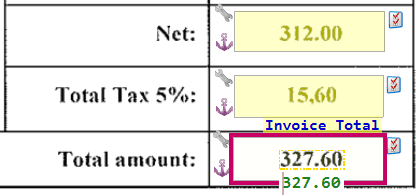
In more complex environments, Chronoscan will take in scans of your Purchase Invoices, recognise which supplier the invoice is from, extract the header information, such as:
- Invoice Number
- PO number
- Date
- Supplier
Then Extract Line entry information for example:
- Line1: 80Gm paper, 5 packs, £15each
Then Validate that the line items total, plus VAT equals the Gross.
Let's Automate Tasks...
How It Works
Overview
Chronoscan, Data Entry, Forms Processing, Document Scanning Software
Enterprise, Thin Client, Browser Based Interface, Client Server Architecture.
- Server-side Data Capture Automation.
It’s a complete suite for Document Scanning & Data Entry.
Multiuser Support.
- Browser Thin Client, Client Server Architecture.
- Multiuser Support.
- User roles and permissions support.
- Multiple processing servers.
- Notifications engine.
- Reporting.
- Cloud Scanning Client.
- IMAP Client.
- Automated Workflow.
- Includes Chronoscan Advanced Desktop Application and all the Features of Chronoscan Advanced delivered via a Browser:
Barcode Processing and Separation.
Intelligent Document Recognition.
AI, Artificial Intelligence Data Processing using GPT Open AI and Many others.
OCR Searchable Text Creation.
Data Capture and Forms Processing
- Intelli-Tag and OCR Fields for Data Capture and Extraction.
- Automatic Indexing.
Multiple HotFolder Queue Processing with Multiple Job Configurations.
- Output to Cloud Services, SharePoint 365, Azure, Google.
- Export Data Index and Meta Data to ODBC Data Sources, CSV, Txt, XML.
- Processed Scanned Documents, Digitally Born Documents and Office Documents.